
6 Month Computer Accounting Course in Phagwara
Learn accounting basics, Tally Prime, GST, payroll, bank reconciliation and Excel for accounts in the 6 Month Computer Accounting Course in Phagwara at techcadd. A practical path to accounts roles.
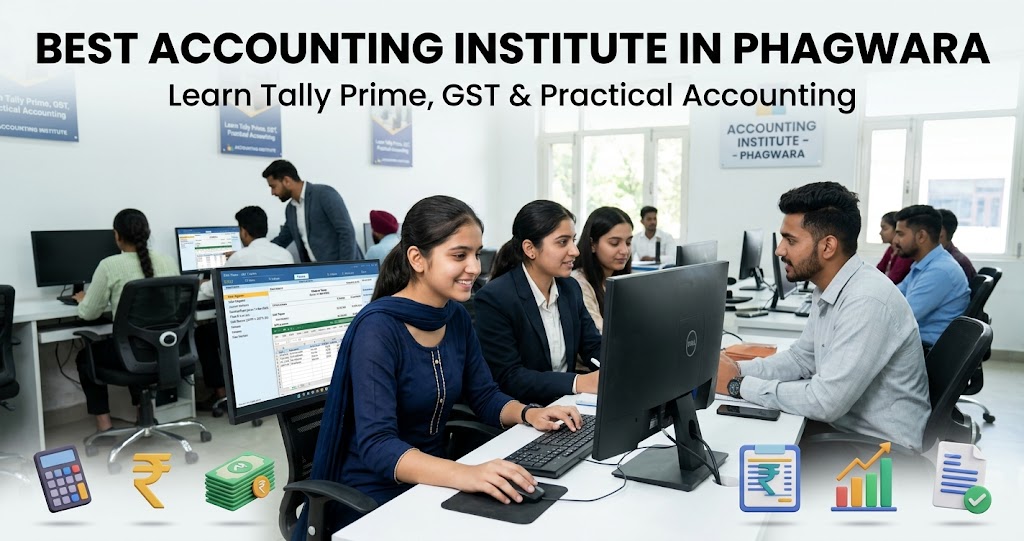
6 Month Computer Accounting Course in Phagwara
Every business, from a small hardware shop on GT Road to a mid-sized manufacturing unit in the Phagwara industrial area, has to keep accounts. Sales, purchases, expenses, salaries, GST and bank transactions all need to be recorded correctly and on time. Over the last decade, most of that work has moved from paper ledgers to accounting software, and businesses now look for people who understand both accounting principles and the computer tools used to apply them.
A 6 Month Computer Accounting Course in Phagwara is designed to build exactly that combination. You learn the fundamentals of accounting, how to record transactions in Tally, how GST works in day-to-day billing, how to prepare useful reports in Excel, and how payroll, inventory and bank reconciliation are handled in a real office. The focus is practical: entries, reports and records you could actually prepare for a business.
In this article we cover the full month-by-month syllabus, software, project ideas, career options and tips for choosing a good accounting institute in Phagwara, useful for learners from Jalandhar, Kapurthala, Hoshiarpur, Banga, Goraya, Nawanshahr and the LPU area too.
Quick Answer: A 6 month computer accounting course in Phagwara teaches accounting basics, Tally (company setup, ledgers, vouchers, inventory, GST, payroll and reports), Excel for accounts, GST concepts and return awareness, TDS basics and bank reconciliation. It suits commerce students, graduates, job seekers and small business owners who want practical accounts skills for roles like accounts assistant or billing executive.
What Is Computer Accounting?
Computer accounting means maintaining a business's financial records using software instead of handwritten books. The principles stay the same: every transaction has a debit and a credit, ledgers must balance, and reports must show a true picture of the business. What changes is the speed, accuracy and convenience.
In accounting software like Tally, you create a company, set up ledgers and stock items, record vouchers for each transaction and let the software produce the trial balance, profit and loss account, balance sheet, GST reports and much more. Excel complements this with custom analysis, reconciliations and MIS reports.
A computer accounting course teaches both sides: why entries are made a certain way and how to make them correctly in software. That combination is what employers usually mean when they ask for "Tally knowledge".
Why Learn Computer Accounting in Phagwara?
Phagwara is a trading and industrial town with a steady base of manufacturers, distributors, retailers, transporters and service providers. Nearby Jalandhar is known for sports goods and hand tools, and towns like Goraya and Banga have many small and medium enterprises. All of these need people who can manage billing, stock, GST and day-to-day accounts.
Learning accounting in Phagwara gives you training close to this local business environment. You can also combine the course with a B.Com, BBA or other degree from colleges in Phagwara, Kapurthala or the LPU area, so your theory and practical skills develop together.
Top 5 Reasons to Join a 6 Month Computer Accounting Course in Phagwara
1. Practical Tally Skills Businesses Use
Tally is widely used by small and medium businesses in Punjab. The course trains you on real voucher entry, inventory, GST and reports rather than just theory.
2. Clear Understanding of Accounting Basics
Many people learn software screens without understanding the accounting behind them. This course builds the concepts first so your entries make sense.
3. GST and Compliance Awareness
GST affects almost every invoice. You learn tax types, invoice formats, input tax credit concepts and the basics of return filing so you can support a business confidently.
4. Excel for Accounts and MIS
Excel remains essential for reconciliations, ageing reports and summaries. You learn the formulas and pivot tables accountants use most.
5. Useful for Jobs and Your Own Business
Whether you want an accounts job or plan to run a family business, knowing how to manage accounts can help you make better financial decisions.
6 Month Computer Accounting Course Syllabus: Month-by-Month
The syllabus below is a typical outline; actual sequencing can vary by batch.
Month 1: Accounting Fundamentals
Types of accounts and golden rules of accounting
Journal, ledger and trial balance
Capital and revenue items, assets and liabilities
Cash book, subsidiary books and bank book
Introduction to final accounts: trading account, profit and loss, balance sheet
Computer basics and file organisation for accounts work
Month 2: Tally Basics
Creating and altering a company
Groups and ledgers, opening balances
Voucher types: contra, payment, receipt, journal, sales and purchase
Day book, ledger reports and trial balance in Tally
Cost centres and basic configuration
Data backup and restore
Month 3: Inventory and Billing
Stock groups, units of measure and stock items
Godowns and batch-wise details
Purchase and sales orders, delivery and receipt notes
Invoice printing and customisation
Stock summary and inventory reports
Price lists and discounts
Month 4: GST and Taxation Basics
GST concepts: CGST, SGST, IGST, HSN and SAC codes
GST registration types and invoice requirements
Recording GST sales and purchases in Tally
Input tax credit concepts
Overview of GSTR-1 and GSTR-3B and the GST portal
TDS basics and e-way bill awareness
Month 5: Payroll, Banking and Excel for Accounts
Payroll setup: employees, pay heads, attendance and salary processing
PF and ESI concepts at a basic level
Bank reconciliation statements
Excel formulas for accounts: SUMIF, VLOOKUP, IF, date functions
Pivot tables for sales and expense analysis
Debtor and creditor ageing reports
Month 6: Final Accounts, Reports and Practical Case Study
Year-end adjustments and closing entries
Profit and loss account, balance sheet and ratio awareness
Cash flow and fund flow basics
Complete case study: one business from opening balances to final accounts
Business correspondence for accounts staff
Interview preparation and final assessment
Tools and Software You Will Learn
Tally Prime
The main software of the course. You will use it for accounting, inventory, GST, payroll and reports.
MS Excel
Used for reconciliations, analysis, MIS reports and any custom statements that accounting software does not produce directly.
GST Portal (Awareness)
You will understand the structure of the government GST portal and the purpose of key returns, typically through demos.
MS Word and Email
Used for business letters, payment reminders and communicating with clients and vendors.
Online Banking Concepts
You learn how bank statements, NEFT, RTGS and UPI entries appear and how to reconcile them in your books.
Computer Accounting Project Ideas for Students
Project 1: Retail Shop Accounts for One Month
Create a company for a retail shop, record a month of sales, purchases and expenses with GST, and generate the reports.
Project 2: Inventory Management for a Distributor
Set up stock items, godowns and units, then track stock movement and prepare a stock summary.
Project 3: Payroll for a Small Unit
Create employees and pay heads, record attendance and process salaries for a small manufacturing unit.
Project 4: Bank Reconciliation Statement
Use a sample bank statement and cash book to prepare a bank reconciliation in Tally and Excel.
Project 5: Final Accounts Case Study
Take a business from opening balances to a year-end profit and loss account and balance sheet, with adjustments.
Short Tally Course vs 6 Month Computer Accounting Course
FeatureShort Tally Course6 Month Computer Accounting CourseDuration4 to 8 weeksAround six monthsAccounting conceptsBriefly coveredCovered in depth before softwareGST and TDSBasic entries onlyConcepts, entries and return awarenessPayroll and inventorySometimes skippedCovered with practical exercisesExcel for accountsRarely includedFormulas, pivots and MIS reportsCase studySmall exercisesFull business case from start to final accountsBest forQuick software familiarityBuilding job-ready accounts skills
Skills You Will Develop
Recording transactions accurately using accounting rules
Working confidently in Tally for vouchers, inventory and reports
Handling GST invoices and understanding returns
Processing payroll at a basic level
Preparing bank reconciliation statements
Building accounts reports in Excel
Reading a profit and loss account and balance sheet
Attention to detail and professional record keeping
Who Should Join This Course?
Commerce students after 12th
B.Com, BBA and M.Com students who want practical skills
Graduates from any stream interested in accounts jobs
Job seekers in Phagwara, Jalandhar and Kapurthala targeting accounts roles
Small business owners and family business members
Working staff who want to move into accounts
Common Mistakes Beginners Should Avoid
Learning Tally Without Accounting Basics
Without understanding debit and credit, you may record entries wrongly without realising it. Concepts come first.
Choosing the Wrong Ledger Group
Putting a ledger in the wrong group can distort reports. Always check where an account belongs.
Ignoring GST Details
Wrong tax rates, HSN codes or party details can create problems later. Accuracy matters at entry time.
Skipping Reconciliation
Bank and party balances should be reconciled regularly. Small errors grow into big problems at year end.
Not Taking Backups
Losing accounting data can be serious for a business. Make backups a routine habit.
Career Scope After the Course
Computer accounting skills can open the door to a range of entry-level roles, especially in small and medium businesses. Possible roles include:
Accounts assistant or junior accountant
Tally operator
Billing executive
GST assistant (supporting a tax consultant or CA office)
Payroll assistant
Back office accounts executive
Some learners later manage part-time bookkeeping for small shops. Keep in mind that no course guarantees a job. Practice, accuracy, communication and continued learning all influence your career growth.
How to Choose the Right Computer Accounting Institute in Phagwara
Check that accounting concepts are taught, not just software screens
Confirm GST, payroll, inventory and bank reconciliation are included
Ask whether Excel for accounts is part of the course
Look for practical case studies based on real business scenarios
Prefer small batches for individual support
Ask about certification and career guidance
Attend a demo class before deciding
Why Choose techcadd Phagwara?
The computer accounting training at techcadd Phagwara focuses on practical entries, real business cases and clear concepts.
Practical labs with hands-on Tally and Excel work
Project-based learning with complete business case studies
Course completion certification
Small batches so doubts can be cleared properly
Career guidance and interview preparation
Support for internship and industrial training where suitable
We welcome learners from Phagwara and nearby areas including Jalandhar, Kapurthala, Hoshiarpur, Banga, Goraya, Nawanshahr and the LPU area.
Final Thoughts
Accounts work is needed in nearly every business, which makes it a practical skill to learn. The 6 Month Computer Accounting Course in Phagwara combines accounting fundamentals, Tally, GST, payroll, banking and Excel into one structured program. With consistent practice and attention to detail, it can help you take a confident first step into accounts work.
Comments
Loading comments…