
6 Month Graphic Design Course in Phagwara
Explore the 6 Month Graphic Design Course in Phagwara at techcadd. Learn design principles, Photoshop, Illustrator, InDesign, branding, social media creatives and print design with a strong portfolio focus.
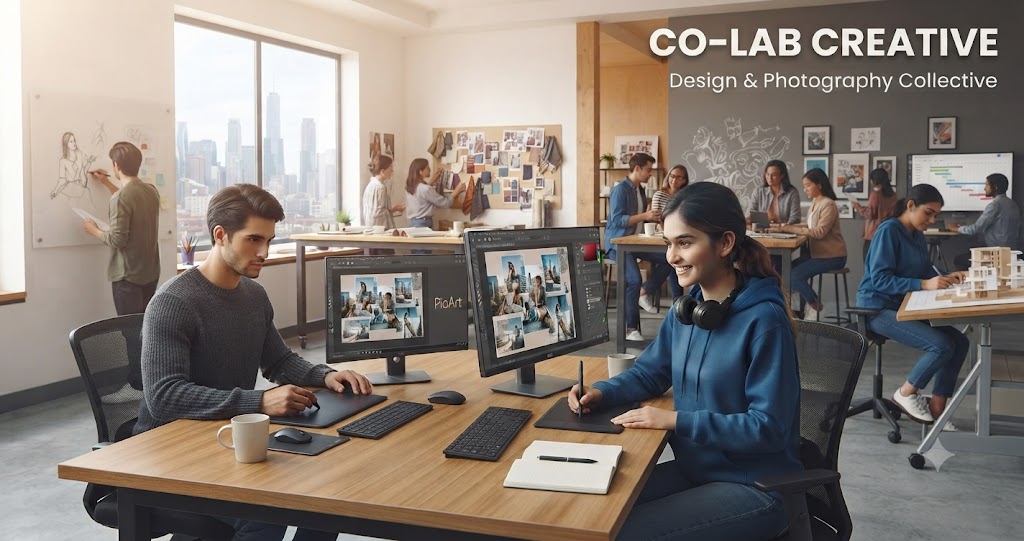
6 Month Graphic Design Course in Phagwara
Look around any market in Phagwara and you will see graphic design everywhere: shop boards, wedding cards, product packaging, coaching institute banners, restaurant menus and the endless stream of Instagram posts that local brands publish every day. Someone has to create all of that, and businesses increasingly want it done professionally rather than with a quick template.
The 6 Month Graphic Design Course in Phagwara at techcadd Phagwara is designed for people who want to turn creativity into a usable, employable skill. Over six months you move from the basics of colour, typography and layout to professional work in Adobe Photoshop, Illustrator and InDesign, along with branding, social media design, print production and an introduction to motion graphics. The goal is a portfolio that shows real design thinking, not just tool tricks.
Whether you live in Phagwara or travel in from Jalandhar, Kapurthala, Hoshiarpur, Banga, Goraya or Nawanshahr, this guide walks you through the syllabus, tools, project ideas, career scope and how to pick a good graphic design institute in Phagwara.
Quick Answer: The 6 Month Graphic Design Course in Phagwara teaches design fundamentals, Adobe Photoshop, Illustrator, InDesign, CorelDRAW, Canva, branding, social media creatives, print and packaging design, plus a portfolio project. It is suitable for beginners, students and freelancers. The course can help you build a professional portfolio and job-ready skills, but no course can guarantee a job.
What Is Graphic Design?
Graphic design is the practice of communicating ideas visually using type, images, colour, shapes and layout. A good design is not only attractive; it solves a problem. A poster must be readable from a distance, a logo must work in one colour on a small visiting card, and a social media post must stop someone from scrolling and tell them something useful within a second or two.
Graphic design covers many areas: brand identity (logos, colour palettes, brand guidelines), print design (brochures, flyers, visiting cards, banners, packaging), digital design (social media posts, website graphics, ads, thumbnails), editorial design (magazines, books, reports) and, increasingly, simple motion graphics. Designers work with clients to understand the goal, the audience and the message, then create visuals that deliver it clearly.
Software skills matter, but they are only half of the job. The other half is visual thinking: hierarchy, contrast, alignment, spacing, consistency and an understanding of how people read a page. A six month graphic design training program has time to develop both halves together.
Why Learn Graphic Design in Phagwara?
Phagwara and the surrounding Doaba region have a busy commercial culture. Retailers, sweet shops, textile businesses, immigration and IELTS centres, schools, hospitals, event planners and manufacturers all need visual material. Weddings and festivals alone create steady demand for invitations, banners and digital posts. Printing presses in Phagwara, Jalandhar and Kapurthala regularly need people who can prepare print-ready files correctly.
Local demand: Small and medium businesses need logos, menus, flyers, flex banners and social content.
Freelance potential: Design work can be delivered online, so you can serve clients in other cities and countries from Phagwara.
Study close to home: Students from the LPU area, Banga, Goraya and Nawanshahr can learn without moving to a metro city.
Foundation for other careers: Graphic design leads naturally into UI/UX design, video editing, motion graphics and digital marketing.
Top 5 Reasons to Join a 6 Month Graphic Design Course in Phagwara
1. Enough Time to Learn Design Thinking, Not Just Software
Short crash courses often teach where the buttons are. Six months gives space to practise layout, typography and colour theory until they become instinct, which is what separates a designer from a software operator.
2. Multiple Professional Tools in One Program
You learn Photoshop for images, Illustrator for vector work, InDesign for multi-page layouts and CorelDRAW, which is still widely used in Punjab's printing industry. Knowing the right tool for each job makes you more useful to employers.
3. A Real Portfolio by the End
Clients and employers hire designers based on their portfolio. A structured course pushes you to complete branding, print, social and packaging projects that can be presented professionally.
4. Feedback from Trainers
Design improves fastest through critique. Regular reviews help you spot weak hierarchy, poor contrast or cluttered layouts that you might not notice on your own.
5. Flexible Career Options
Graphic design skills are useful in agencies, print shops, marketing teams, e-commerce stores and freelancing. You can also use them to promote your own business or family enterprise.
6 Month Graphic Design Course Syllabus: Month-by-Month
Below is a typical month-by-month plan for graphic design training in Phagwara. The order may be adjusted to match the batch, but each month combines theory, software practice and a mini project.
Month 1: Design Fundamentals and Visual Thinking
Elements of design: line, shape, colour, texture, space and form
Principles of design: balance, contrast, alignment, hierarchy, repetition and proximity
Colour theory: colour wheel, harmonies, RGB vs CMYK
Typography basics: serif vs sans serif, pairing fonts, readability and spacing
Sketching ideas on paper and creating mood boards
Introduction to Canva for quick layouts
Month 2: Adobe Photoshop
Workspace, layers, masks and adjustment layers
Selections, retouching and photo correction
Image resolution, file formats and export settings
Photo manipulation and compositing
Designing social media posts, thumbnails and web banners
Mini project: a festival campaign set for a local shop
Month 3: Adobe Illustrator and Vector Design
Vector vs raster graphics
Pen tool, shape builder, pathfinder and gradients
Logo design process: research, sketches, digital drafts and refinement
Icons, illustrations and infographics
Visiting cards, letterheads and stationery
Mini project: logo and stationery set for a sample brand
Month 4: Print Design, CorelDRAW and InDesign
CorelDRAW for flex banners, flyers and print-shop workflows
Adobe InDesign for brochures, catalogues, magazines and menus
Grids, master pages and paragraph styles
Bleed, margins, crop marks, CMYK and print-ready PDFs
Paper sizes, finishes and working with printers
Mini project: tri-fold brochure for an institute or clinic
Month 5: Branding, Packaging and Social Media Design
Building a brand identity and simple brand guidelines
Packaging design and dielines for boxes and labels
Mockups and presentation of design work
Social media design systems: templates, grids and consistent styles
Advertising creatives for Instagram, Facebook and YouTube
Introduction to motion graphics and short animated posts
Month 6: Portfolio, Client Workflow and Career Preparation
Capstone branding project from brief to final delivery
Working with client briefs, revisions and feedback
Pricing basics and freelance workflow (without guarantees of income)
Building an online portfolio on Behance or a personal site
Resume, interview tips and design tests
Portfolio review and final presentation
Tools and Software You Will Learn
Adobe Photoshop
The industry standard for photo editing, retouching and raster graphics. You will use it for social media creatives, banners, compositing and preparing images for print and web.
Adobe Illustrator
A vector tool for logos, icons, illustrations and any design that must scale without losing quality. It is central to branding work.
Adobe InDesign
Used for multi-page layouts such as brochures, catalogues, magazines, menus and reports. You will learn grids, styles and how to export print-ready files.
CorelDRAW
Still very common in printing presses and flex shops across Punjab. Knowing CorelDRAW makes it easier to work with local printers and print-focused businesses.
Canva and Figma Basics
Canva is popular with businesses for quick edits, so designers often build templates in it for clients. A short introduction to Figma prepares you for UI/UX work if you want to grow in that direction.
Adobe After Effects (Introduction)
A basic introduction to animating text and shapes helps you create simple motion posts, which perform well on social media.
Graphic Design Project Ideas for Students
Project 1: Complete Brand Identity for a Local Cafe
Create a logo, colour palette, typography system, menu card, signage mockup and a set of Instagram posts for a fictional cafe in Phagwara. Present it as a short brand guideline document.
Project 2: Wedding Invitation Suite
Design a printed invitation card, envelope, RSVP card and matching digital invite for WhatsApp. Pay attention to typography in English and Punjabi and to print-ready settings.
Project 3: Institute Brochure and Flex Banner
Design a tri-fold brochure in InDesign and a large flex banner in CorelDRAW for a coaching or computer institute, checking readability from a distance.
Project 4: Product Packaging Design
Design the packaging and label for a local product such as pickles, sweets or organic jaggery from the Doaba region. Use a proper dieline and create realistic mockups.
Project 5: 30-Day Social Media Campaign
Plan and design a month of posts, stories and two short animated creatives for a gym or boutique. Build reusable templates so the brand looks consistent.
Short Course or Self-Learning vs 6 Month Graphic Design Course
FactorShort Course / Self-Learning6 Month Graphic Design CourseDesign theoryOften skippedColour, typography, layout and hierarchy taught in depthSoftware coverageOne or two toolsPhotoshop, Illustrator, InDesign, CorelDRAW, Canva and morePrint knowledgeRarely coveredBleed, CMYK, dielines and print-ready filesFeedbackSelf-judgedRegular critiques from trainersPortfolioScattered practice piecesStructured portfolio with a capstone brand projectDiscipline and paceEasy to stop midwayFixed schedule and milestonesCareer supportNonePortfolio review, resume and interview guidance
Skills You Will Develop
Visual hierarchy, layout and composition
Colour theory and typography
Photo editing, retouching and compositing
Logo design and brand identity development
Print production and preparing print-ready files
Packaging and label design
Social media and advertising creative design
Basic motion graphics
Presenting work and handling client feedback
Who Should Join This Course?
Students after Class 10 or 12 who enjoy drawing, art or creative work
Graduates who want a creative career option
Printing press and flex shop staff in Phagwara, Jalandhar or Kapurthala who want to upgrade skills
Digital marketers and social media managers who want to design their own creatives
Small business owners who want to manage their own branding
Aspiring freelancers who want to work from home
Common Mistakes Beginners Should Avoid
Using Too Many Fonts and Colours
Beginners often use five fonts and every bright colour on one poster. Limit yourself to one or two typefaces and a small palette to keep designs clean and professional.
Ignoring White Space
Crowding every corner with text and images makes designs hard to read. Empty space gives the important elements room to breathe and guides the eye.
Designing for Print in RGB at Low Resolution
Files that look fine on screen can print blurry or with dull colours. Learn resolution, CMYK and bleed early to avoid costly reprints.
Copying Designs from the Internet
Inspiration is fine; copying is not. Using copyrighted images or tracing other logos can create legal problems and damages your reputation. Use licensed or original assets.
Skipping the Brief
Jumping into software before understanding the client, audience and goal leads to many revisions. Always clarify the brief and sketch ideas first.
Career Scope After the Course
After completing the course, you can explore roles such as:
Junior Graphic Designer
Social Media Designer
Print and Packaging Designer
Brand Identity Designer
DTP Operator or Prepress Artist
Visualiser in an advertising agency
Freelance Graphic Designer
Designers are needed in advertising agencies, printing presses, e-commerce companies, publishing houses, educational institutes and marketing teams in Phagwara, Jalandhar, Ludhiana, Chandigarh and online. Many designers also take freelance projects alongside a job. Your growth will depend heavily on the quality of your portfolio and your ability to keep learning. Please note that no course can guarantee a job; this course aims to prepare you as well as possible.
How to Choose the Right Graphic Design Institute in Phagwara
Does the course teach design principles, not only software shortcuts?
Are Photoshop, Illustrator, InDesign and CorelDRAW all covered?
Will you complete real-style projects and a portfolio?
Do trainers give regular, honest critique of your work?
Are batches small enough for one-to-one guidance?
Does the institute use licensed software and teach ethical use of assets?
Is there career guidance and internship or industrial training support?
Can you attend a free demo class first?
Why Choose techcadd Phagwara?
The graphic design program at techcadd Phagwara focuses on practical, portfolio-driven learning. Classes combine short theory sessions with long lab hours, so you spend most of your time actually designing.
Practical labs with industry-standard design software
Project-based learning covering branding, print, packaging and social media
Small batches with regular design reviews
Course completion certification
Career guidance, portfolio review and interview preparation
Internship and industrial training support where available
The team at techcadd encourages students to develop their own style while learning the professional standards clients expect.
Final Thoughts
Good design helps businesses communicate, and businesses across Phagwara, Jalandhar, Kapurthala and Hoshiarpur need it every day. The 6 Month Graphic Design Course in Phagwara gives you the time to build strong fundamentals, master the key Adobe and Corel tools, and finish with a portfolio you can be proud of. With consistent practice and curiosity, graphic design can become a rewarding career or a valuable freelance skill.
Comments
Loading comments…